Performance ManagementPeople ServicesSelf HR ServicesOKR/KPIAI Agents

Leave Management

Idenfit has all the features you will ever need to manage your employee leave.

Get Started with Leave Management
Leave Management
Leave management & calendar

Leave management & calendar

https://idenfit.com/request-online-presentation/

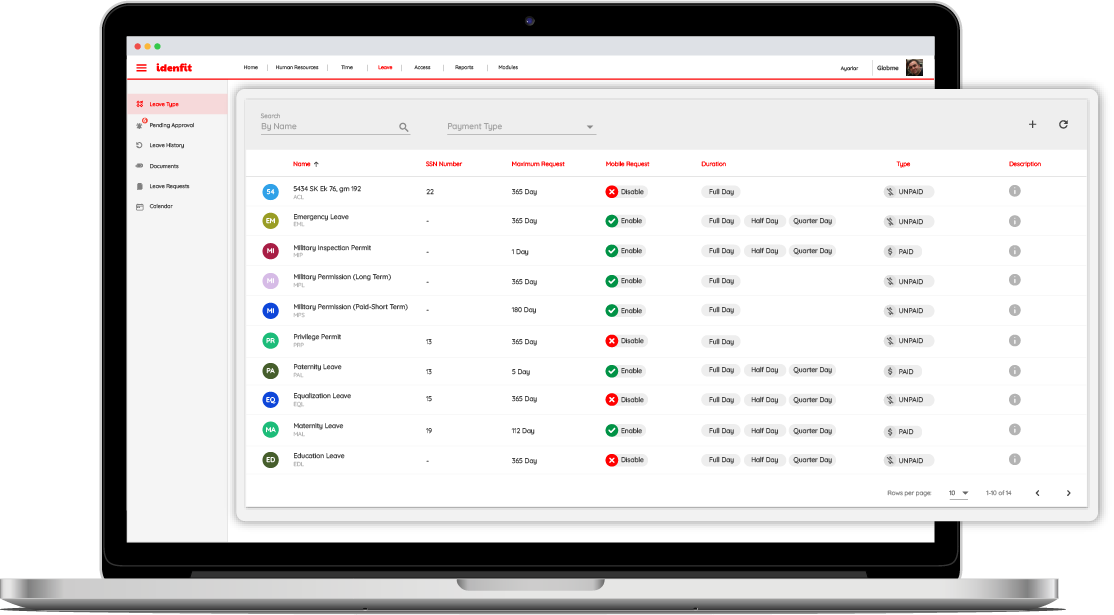
Idenfit leave management system allows you to stop all time-off abuses and implement company-wide leave policy. You can add your own leave types, make exceptions for individual employees and groups for using leave requests and approval.

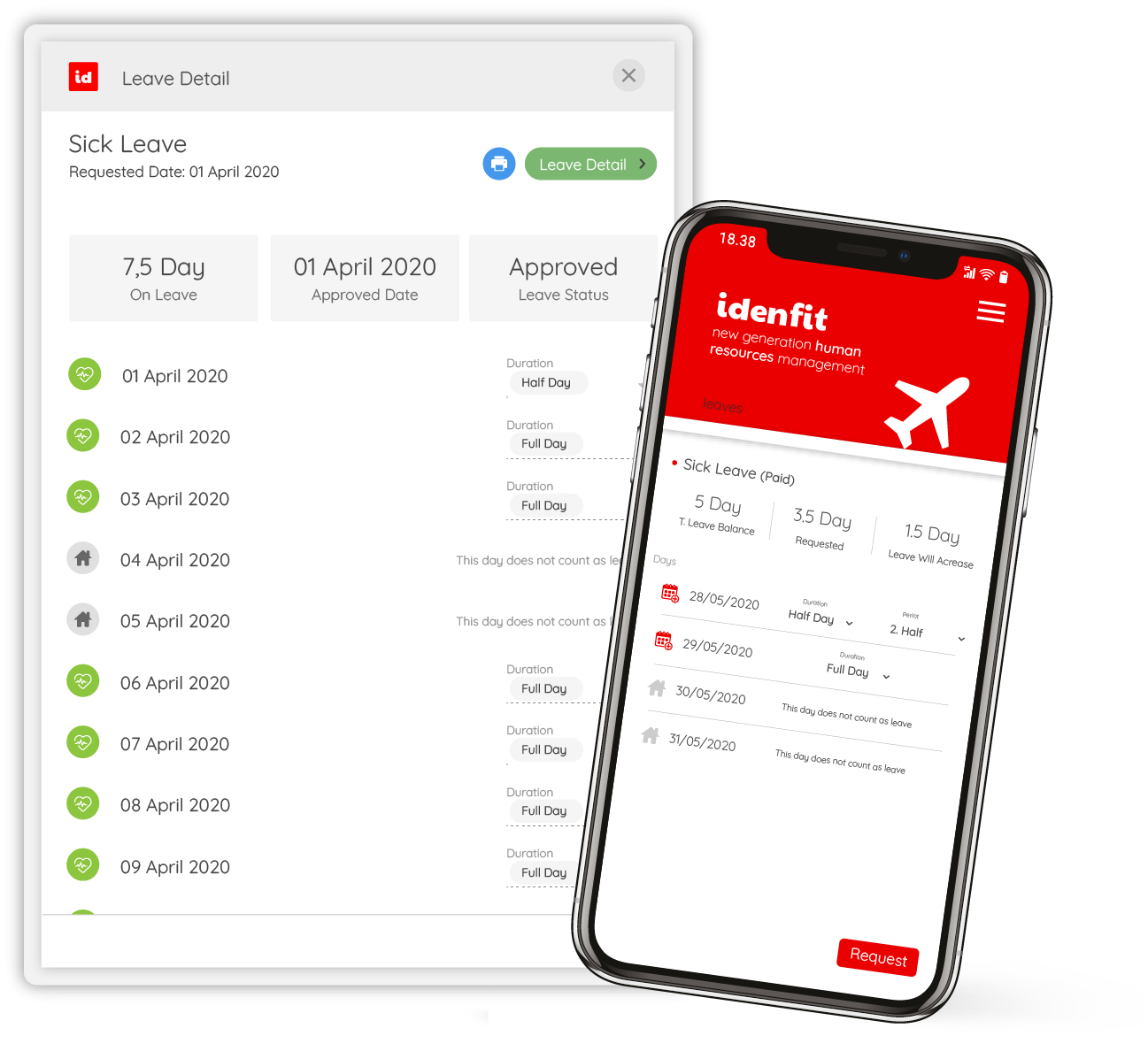
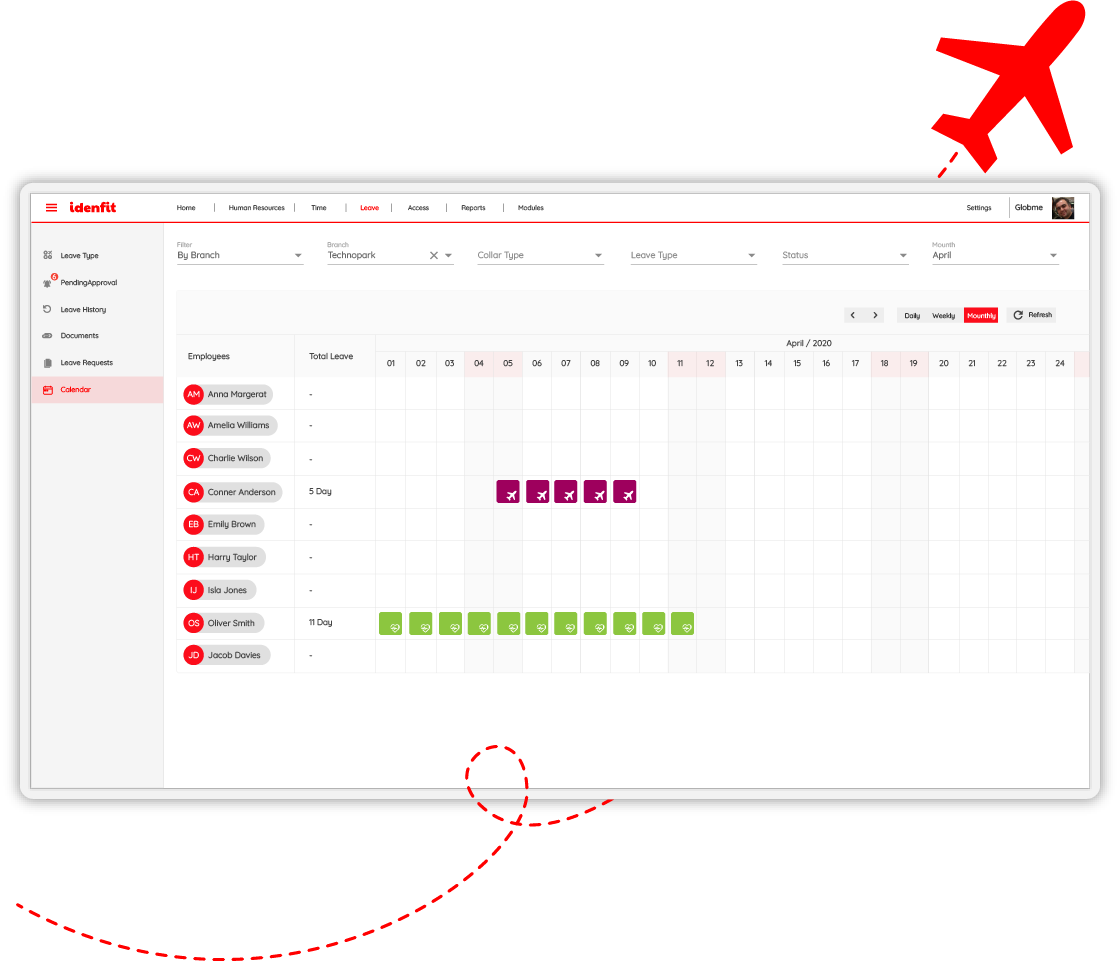
Idenfit let users monitor leave requests and approvals annually, monthly and weekly. You can review any leave requests on the user-friendly dashboard, add a new one or edit it. It is also possible to define and add leave types to systems for the users.

Leave requests

Leave requests

It is very easy and flexible to manage employees’ leave with Idenfit. On Idenfit, managers can assign leave approvals on the behalf of other employees. Beside employees have many options about leave management requests while managing their leave process.

  • Employees can request for half day, full day or time-based leaves and edit their leave requests when their plans change.
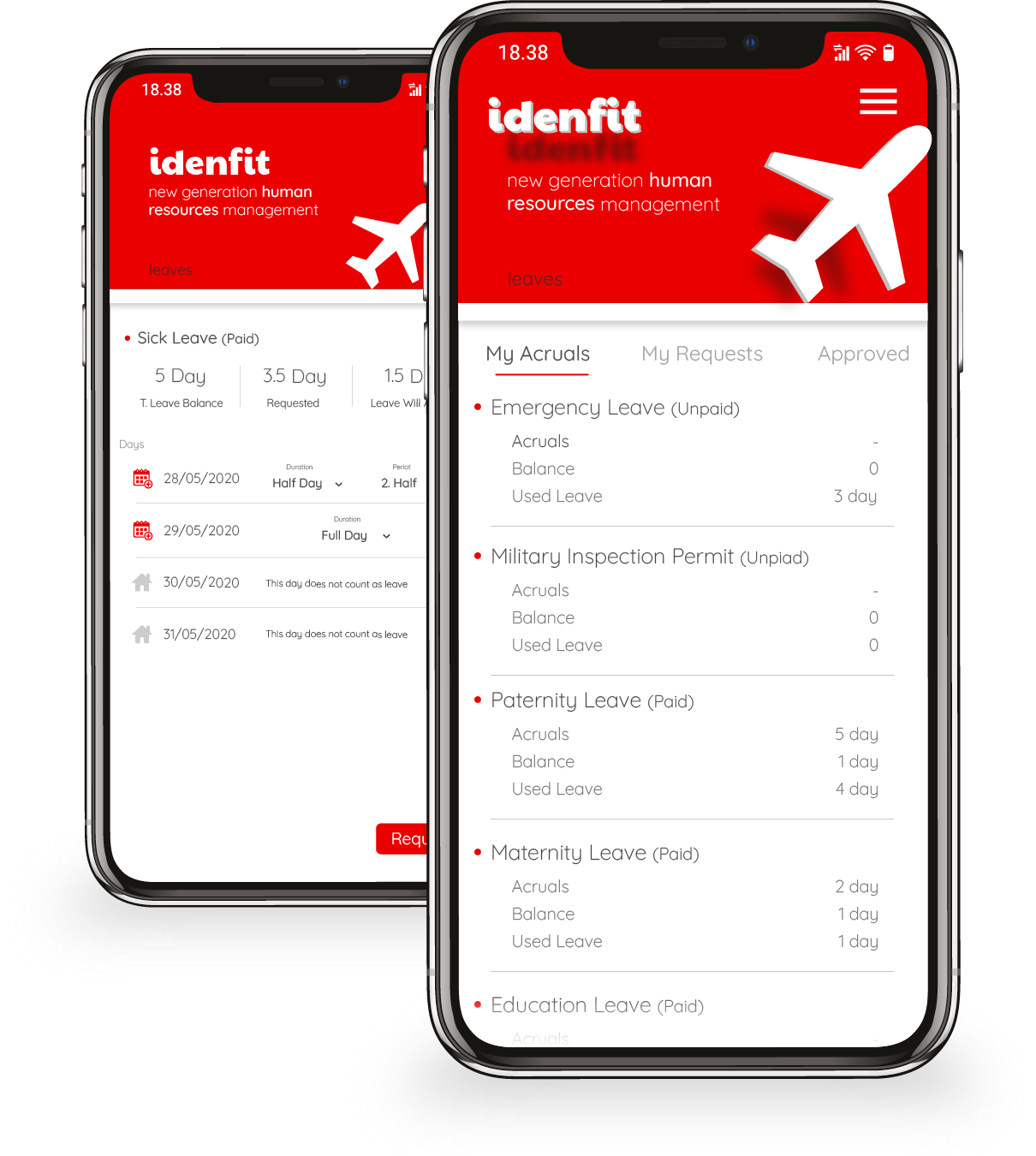
  • Employees can easily see the current balances of all their leave entitlements and check the leave requests status whether they are approved or pending.
  • Idenfit allows employees to upload documents for sick leaves or any official papers to claim need of leave.
  • Employees can fill in the customized fields when requesting for leave.
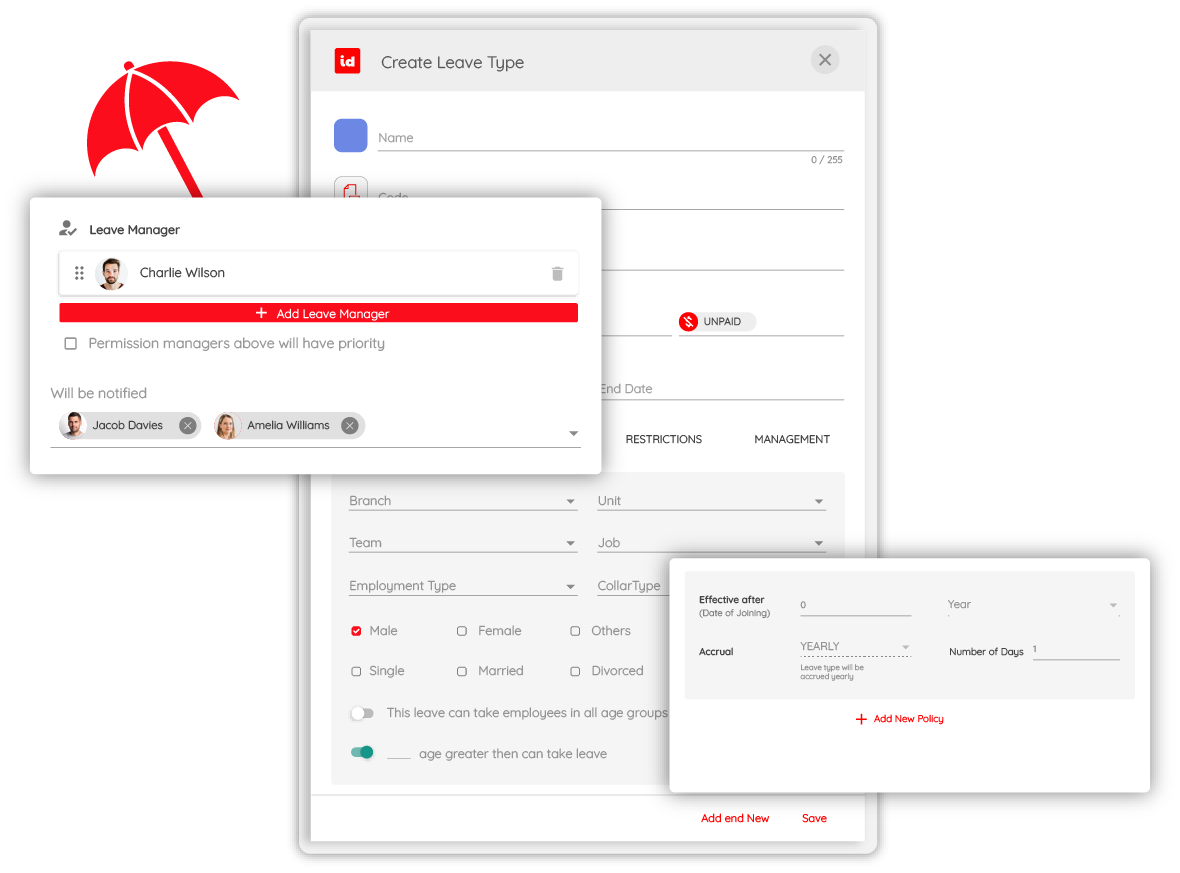
  • Gender, age or status based types of leave can be created and added to system.
Get Started
Smart leave management

Smart leave management

Idenfit leave management allow users to set different sets of company holidays for each location of your global offices. Individual employees can have their own set of holidays based on their status, age and gender etc. Weekly working hours and days-off can be set differently based on the location, department, position and even at an employee status. When holidays are added or changed, duration of all leave requests that were already applied will be recalculated automatically.

Get Started
Leave approvals

Leave approvals

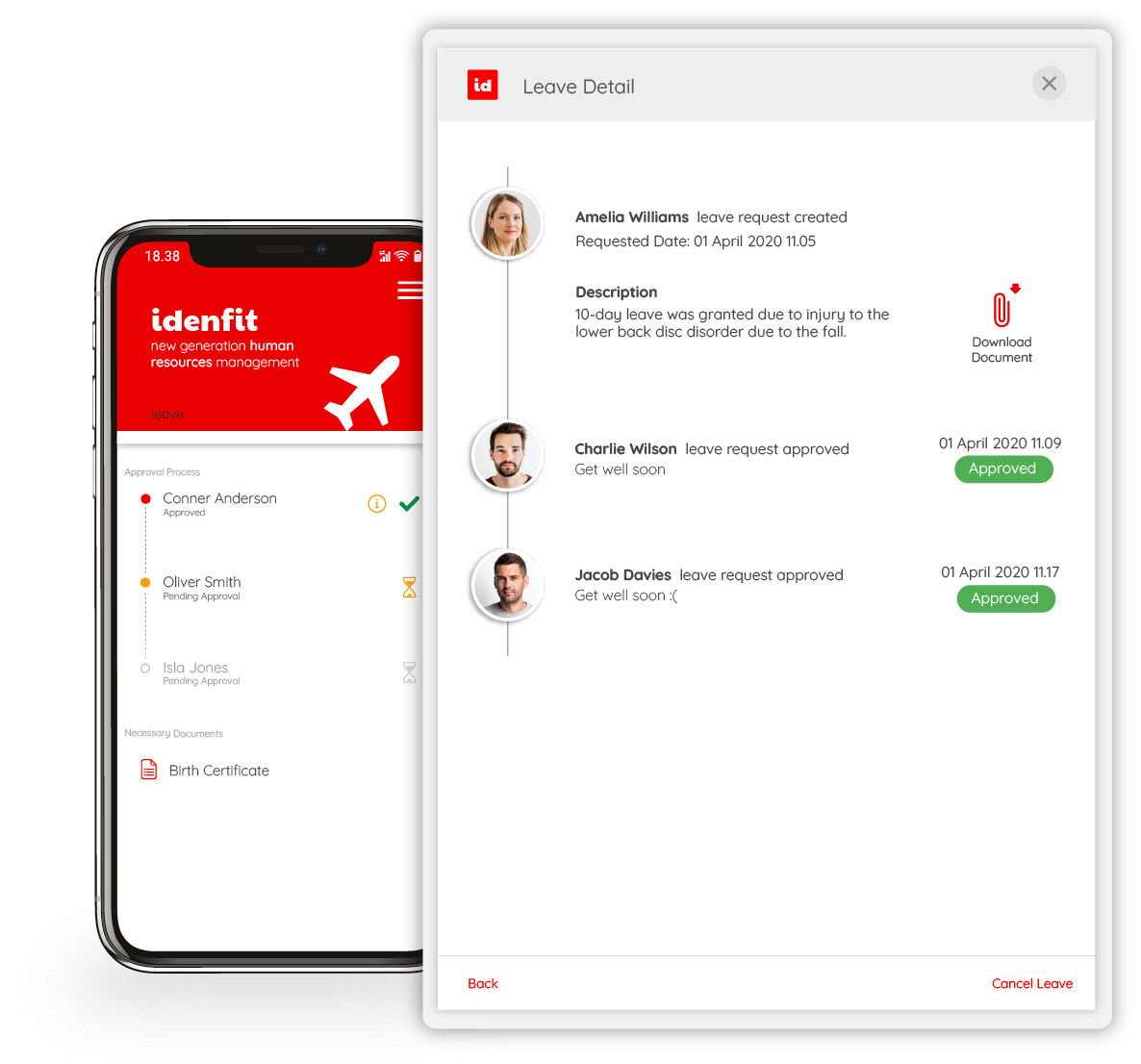
Managers and authorised people can approve or reject leaves that employees create or edit with Idenfit. You can create automatic leave approval workflows with approvers with their titles and positions.

On Idenfit you can attach various approval paths for different leave types at the employee level. For example, sick leave can have one approval path yet for vacation users can create another approval path.

If leave request is not approved within a set time interval, approval can be escalated to a different manager and they can approve the request. On the other hand, you can set backup users as approving managers. Approval request will be seen by the backup manager when the main manager is not able to approve. You can also add only HR managers to approve or reject any leave requests.

Get Started
Flexible reports

Flexible reports

Idenfit cares about being user friendly and knows how important reporting in the hr departments when it comes to leave management. Users can create reports and download them in Excel and PDF formats without stress. While reporting, users can use filtering feature to reach out the exact issues they want to cover about employees, locations, departments leave approvals.

Get Started
leave management

Leave idenfit’s leave management, your time is yours again!

Employees can easily request these leaves through the mobile or tablet app. Leave requests are sent instantly as a system notification and email. Leave requests go sequentially to the assigned managers for approval. Annual leave periods are determined by the company. idenfit’s leave management handles complex annual leave calculation processes for you. Each time an employee takes leave, the relevant entitlement is automatically deducted from the leave balance. The system does this automatically, without requiring manual intervention. If a leave type is defined as transferable, the system automatically performs this calculation every year, so managers never have to calculate past leave manually.

Request Online Presentation

Frequently Asked Questions

How can annual leave planning be made more efficient?

Idenfit simplifies leave planning by automatically calculating annual leave balances based on employee entitlements.

Why should leave management be handled digitally?

Manual tracking leads to time loss and a higher risk of errors. With digital leave systems, all requests, approvals, leave history, and different types of leave can be managed through a single screen and calendar view.

What advantages does Idenfit’s leave module offer as a leave management system?

It consolidates all leave types into a centralized structure, speeds up approval workflows, and eliminates paperwork. Idenfit also allows for the configuration of custom leave types with specific restrictions and conditions.

Is Idenfit sufficient for HR leave management?

Yes, it is. With flexible rules, multi-level approval workflows, and parameterized leave types, Idenfit provides a powerful solution for HR teams.

Last updated: